Postingan

Menampilkan postingan dengan label constraintlayout

Introducing the Motion Editor

Gambar
Posted by Scott Swarthout, Product Manager We spoke with the Android developer community and learned that animations are important for making UIs more intuitive and memorable. However, we also heard that adding complex animation to Android apps has been a difficult task.To address this problem, we created a powerful set of APIs with Motion Layout and a corresponding tool – Motion Editor, that when combined make it easier to build pixel-perfect animations. This blog is a quick tour of the new Motion Editor and how to use the latest features during your animation development. Additionally today, you can now watch a new video series specifically created to teach you about the various APIs included with MotionLayout. Watch here . Motion Editor is a visual design editor for the MotionLayout layout type, making it easier to create and preview animations. We just released the stable version Motion Editor in Android Studio 4.0 and we already see many developers using it to build animations. A...
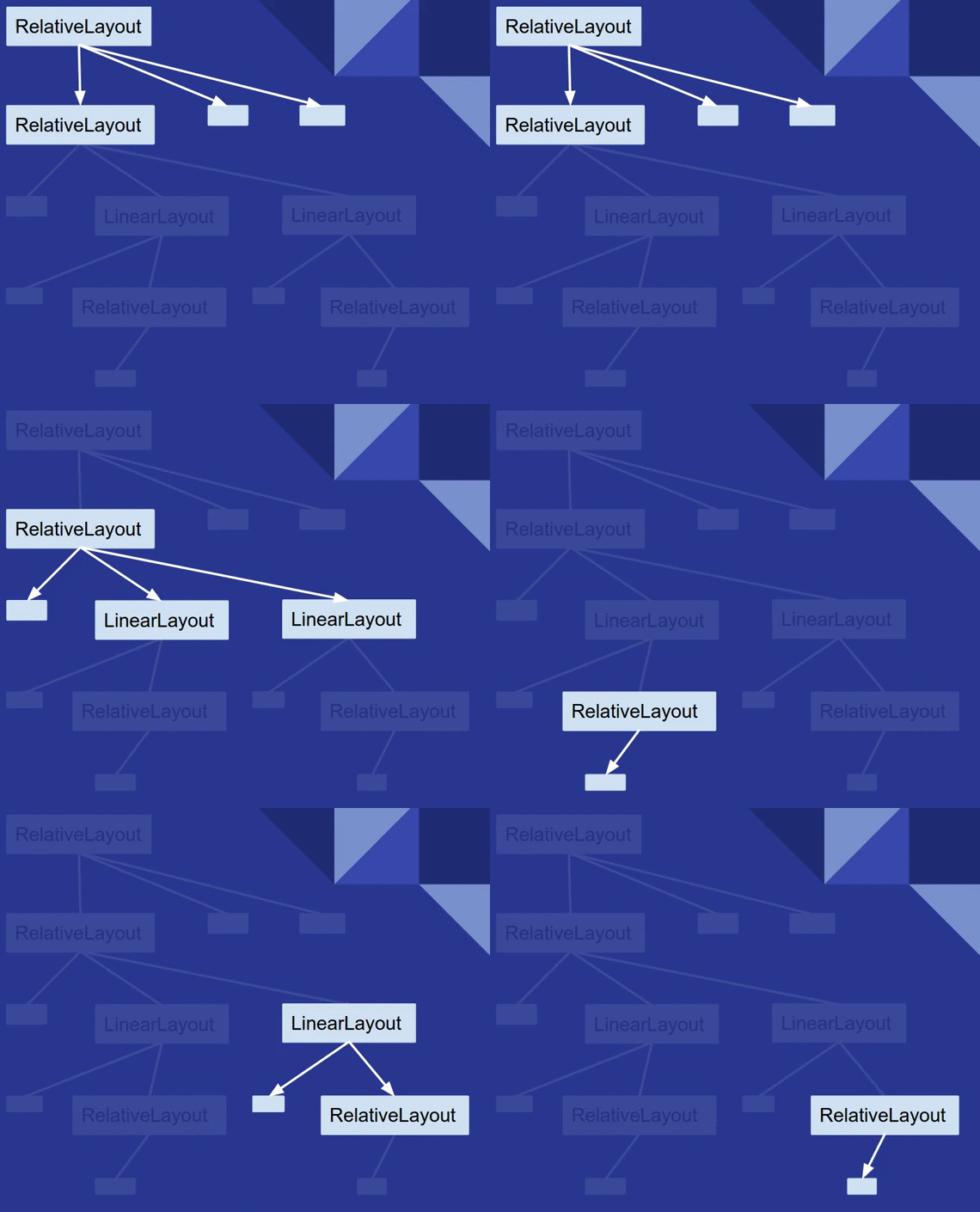
Understanding the performance benefits of ConstraintLayout

Gambar
Posted by Takeshi Hagikura, Developer Programs Engineer Since announcing href="https://developer.android.com/training/constraint-layout/index.html">ConstraintLayout at Google I/O last year, we've continued to improve the layout's stability and layout editor support. We've also added new features specific to ConstraintLayout that help you build various type of layouts, such as href="https://developer.android.com/training/constraint-layout/index.html#constrain-chain">introducing chains and href="https://developer.android.com/training/constraint-layout/index.html#ratio">setting size as a ratio . In addition to these features, there is a notable performance benefit by using ConstraintLayout . In this post, we'll walk through how you can benefit from these performance improvements. How Android draws views? To better understand the performance of ConstraintLayout , let's take a step back and see how Android draws views. When a use...